Understands your mail. Answers your questions.
Understand any letter. Just ask.
Scan any letter and a trained AI reads it back in plain words, then answers anything you ask about it: what it means, what they want, what to say. It finds the deadline, pulls the amount, and drafts your reply, on iPhone and Mac, in your language, at any age.
Imagine never dreading the pile on the counter again. Be first to know when the private beta opens.
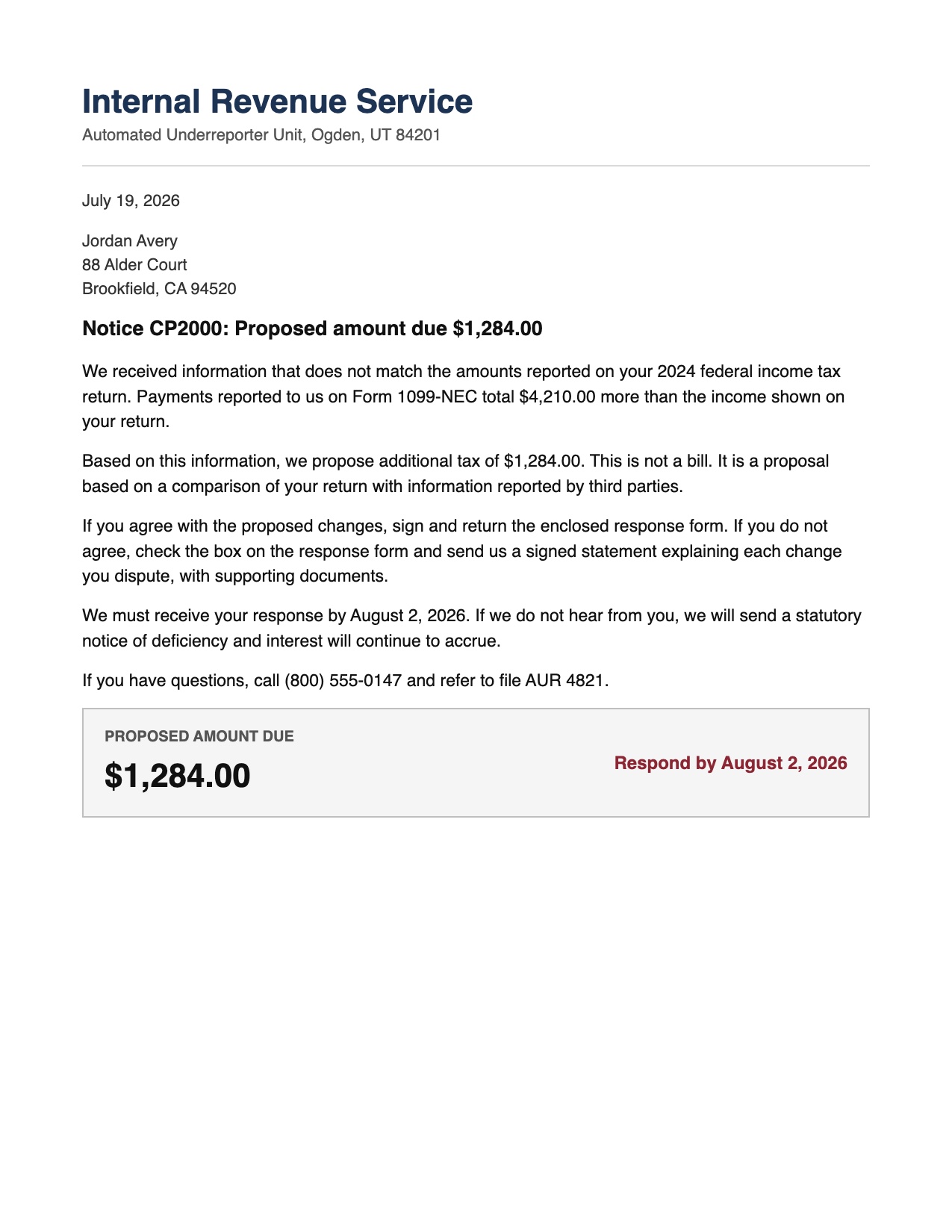
Where everything else stops
A scan is where they stop. It is where LetterDesk starts.
Line them up on what a letter actually asks of you, and the gap is not close.
| LetterDesk | Scanner apps | Storage and vaults | |
|---|---|---|---|
| Turns a photo into a clean page | Manual | ||
| Reads the letter back in plain language | No | No | |
| Answers your questions about the letter | No | No | |
| Explains it in your language | No | No | |
| Finds the deadline that matters | No | No | |
| Pulls the amount you owe | No | No | |
| Files it by category on its own | Manual | Manual | |
| Writes your reply for you | No | No | |
| Tells you exactly what to do next | No | No | |
| Searchable forever, all in one place | Manual | ||
| Simple enough for any age | Manual | Manual | |
| Works offline, no account needed | Manual | No |
The others finish right where the worry begins. LetterDesk finishes the worry, and it does not come back with the next envelope.
Before and after
Watch the dread turn into a clear read.
The paper stays real. The feeling changes.
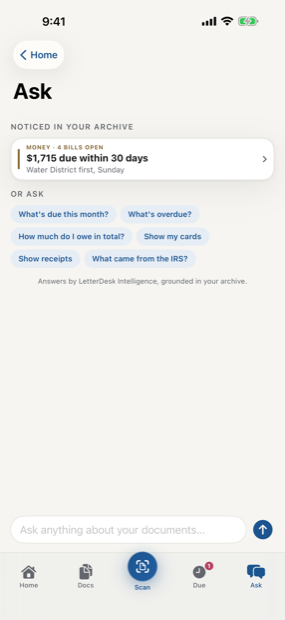
Ask anything about any document
Ask it anything, and finally understand.
Point a question at any letter and a trained, highly optimized AI answers in plain language, calm and specific. No jargon, no guessing, no more second-guessing yourself at the kitchen table.
What does this actually mean?
It is a notice from your insurer explaining what they already paid and what is left for you. Nothing is overdue, and no payment is being demanded today.
What happens if I ignore it?
There is a response window, and missing it can add a fee or move things forward. You still have time, and here is the one date that actually matters.
What should I say back?
A short, polite reply asking for an itemized breakdown is enough. A draft is already written for you to read, adjust, and send in your own words.
The pile on the counter
It was never you. The mail is just relentless.
Every envelope hides a task, a date, or a number, and they arrive faster than anyone can keep up with by hand. A US household still gets about seventeen pieces of real mail a month. Some people have quietly handed that whole job to an app, and stopped flinching at the mailbox.
One scan, everything handled
Everything a letter needs, handled at a glance.
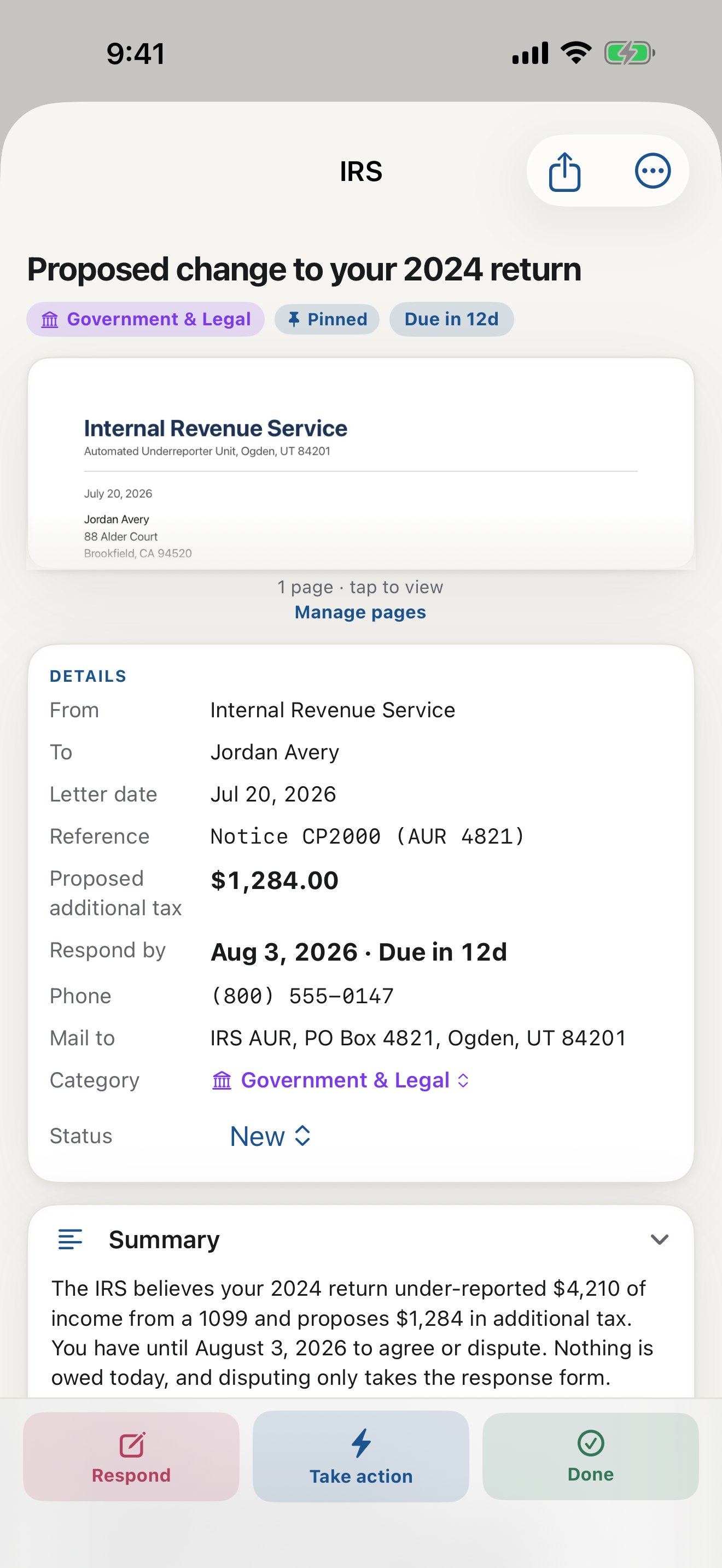
Scan once. The read, the deadline, the amount, the reply, and the answer to any question you have are already waiting for you.
Reads it for you
A trained AI reads every letter back in plain, calm language, in seconds. The dense notice becomes a few sentences you actually understand.
Ask it anything
Ask what it means, what they want, or what to do next, and get a clear answer on the spot. No more guessing at your own mail.
Finds the deadline
It spots the date that matters, even the one hidden in within 30 days, and keeps it in front of you long before it passes.
Pulls the amount
Any figure you owe is found and labeled: amount due, past due, minimum, or the credit limit that is not a bill at all. Never buried in fine print again.
Writes your reply
A ready-to-send response is drafted from the letter itself, polite and to the point, ready to print, email, or share.
Your language, any age
It speaks plainly to a grandparent and a busy parent alike, in English and Persian today, with more languages coming.
Three steps, no learning curve
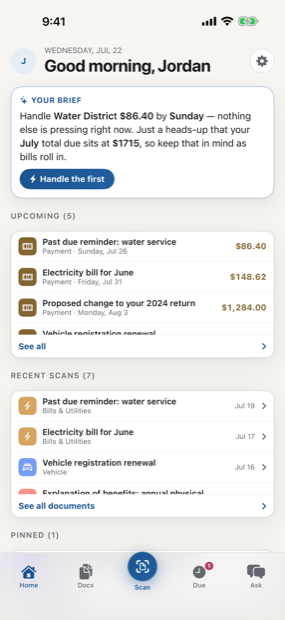
From envelope to answer in one scan.
Open the camera, hold it over the letter, and the rest happens on its own: a clean flat scan, the read, the filing, the deadline on your calendar. By the time you set the paper down, the letter is already understood.
Not just filed, handled
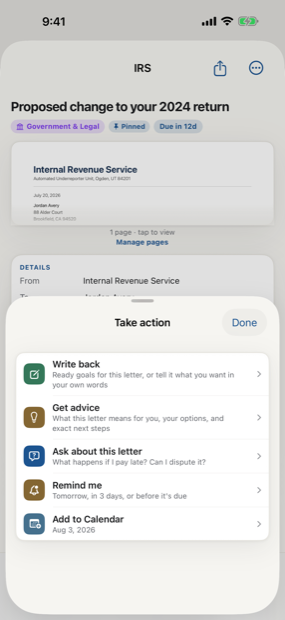
It tells you exactly what to do next.
Every letter arrives with a clear next move, from a drafted reply to the date to remember. Pay it, add the deadline to your calendar, mark it paid, or write back, with the app laying out what each choice means. No more staring at an envelope wondering where to begin.
iPhone and Mac, in sync
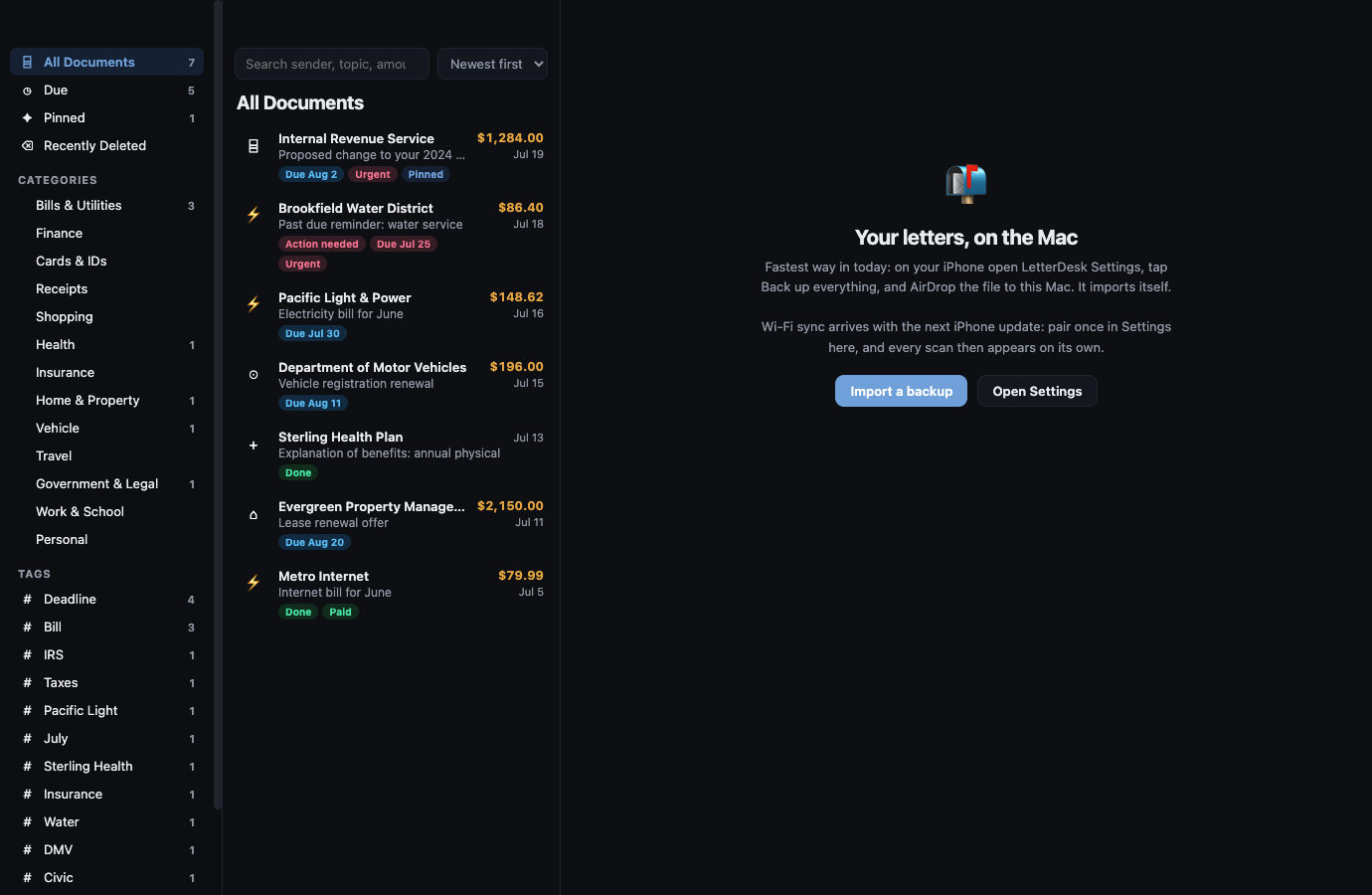
The same calm, on the bigger screen.
Ask a letter what to do at the mailbox, settle it at the desk. LetterDesk for Mac mirrors everything on your iPhone over your home Wi-Fi, so whatever you scan is already on both. No account, no cloud middleman, no setup beyond one scan of a pairing code.
The engine underneath
Highly trained, precisely tuned, quietly working.
Hundreds of automated checks against real-world letters gate every release, so the reading you get is calm, specific, and right, whatever your age and whatever language you think in.
Simple pricing
Free to start. Premium when you want the writing.
Free to start, no account, no card. Premium opens unlimited reads and every language for the people who would rather never think about their mail again.
Scan to calm
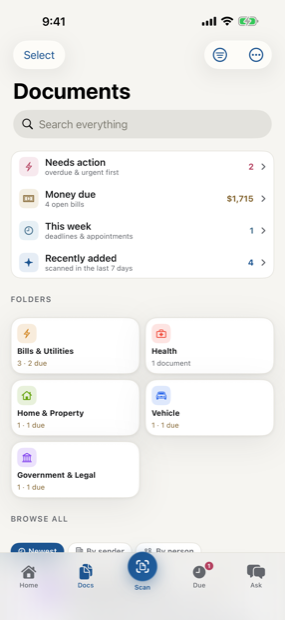
The letter does not just get scanned. It gets handled.
Across every page, LetterDesk shows the full path: read the letter, tell you what to do next, file it automatically, and make it easy to find again.
Handle the whole pile in an afternoon.
Scan the scariest letter in your stack and watch it turn calm.
In private beta now. Leave your email and we will tell you the day it lands.