Government mail
IRS letter: what does this letter mean and what to do next
An envelope from the IRS is one of the most stressful things a mailbox can hold. Most of the time it is far less alarming than it feels. Here is how to read one calmly and handle it right.
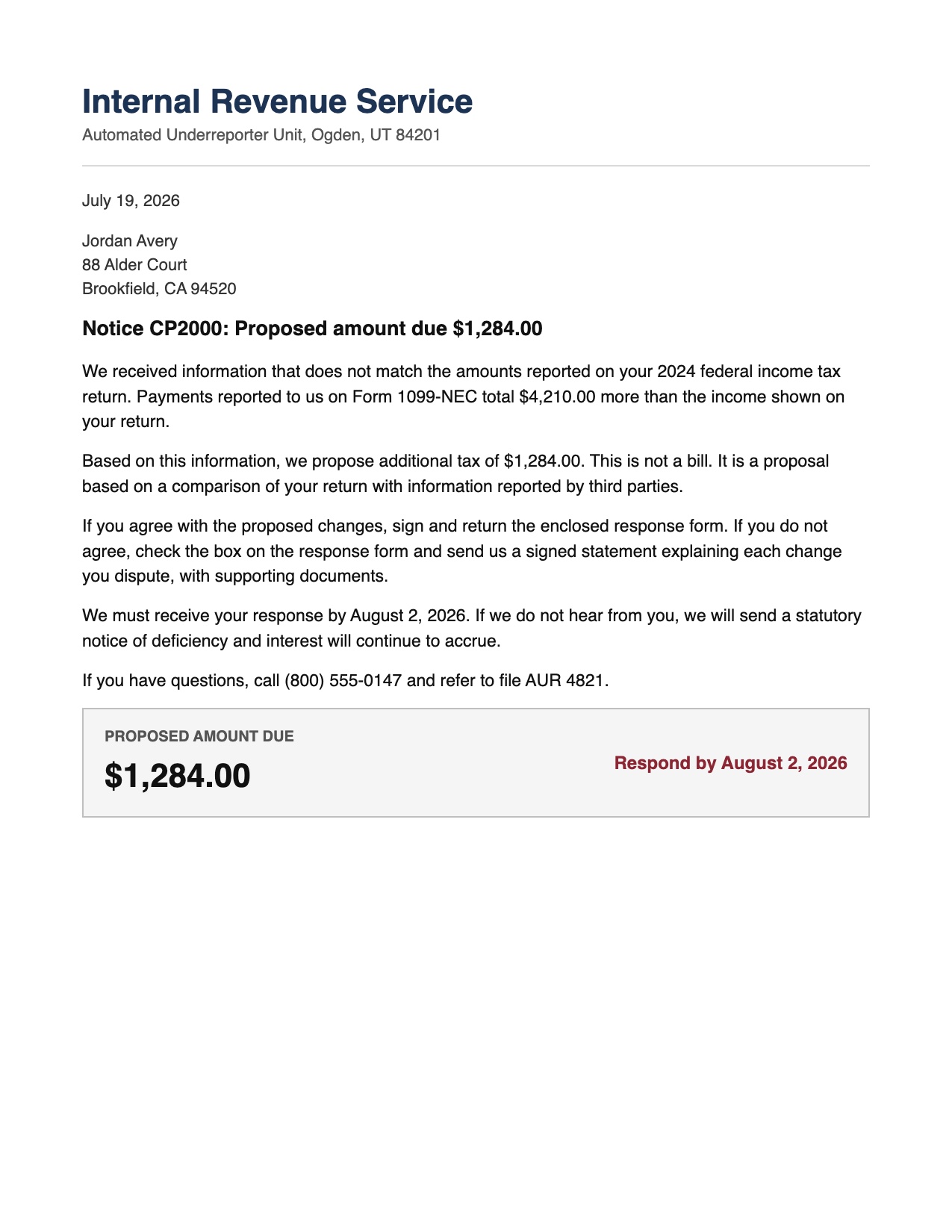
The first thing to know is that the IRS sends millions of letters a year, and the large majority are routine: a notice about a form, a proposed adjustment, a request for information, or a reminder. A letter is not an audit, and it is very rarely an emergency. Panic is the enemy here, because it makes people either ignore the letter or overreact to it. Both are worse than simply reading it.
Step 1: Read it once, slowly, and find the notice number
Every genuine IRS notice has a code in the top right or bottom corner, usually starting with CP or LTR, like CP2000 or LTR 4883C. That code tells you exactly what kind of letter it is. Note it down. The code, not the scary language, is what determines what you actually need to do.
Step 2: Find the three facts that matter
Under the formal language, almost every IRS letter comes down to three things:
- What they are saying. Often it is a proposed change, which means it is not final and not a bill yet. The words proposed and we propose matter a great deal.
- Whether money is involved, and how much. Look for the amount and read its label carefully. A proposed amount is different from an amount due, and interest that has not started is different from a balance.
- The deadline to respond. This is the single most important date on the page. Missing it is what turns a manageable notice into a real problem, because it removes your chance to disagree.
Step 3: Decide whether you agree
Many notices, like the common CP2000, are a proposal based on information a third party reported, such as a 1099. If the numbers match your records, you may simply agree and follow the instructions. If they do not, you have the right to disagree, and the letter itself explains how, usually with a response form and a place to attach an explanation. Disagreeing is normal and expected. It does not make things worse.
Step 4: Respond before the deadline, and keep proof
Whatever you decide, respond in writing by the date on the letter, and keep a copy of everything you send along with the original notice. If you mail it, keep the receipt. If a phone number is given and you prefer to call, write down the date, the time, and the name of whoever you speak with. A paper trail protects you.
Step 5: Never lose the letter again
The reason IRS letters cause so much stress is that they arrive on a busy day, get set down somewhere, and then resurface the night before the deadline. The fix is simple: capture the letter the moment it arrives so the deadline is on your calendar and the notice is filed where you can find it.
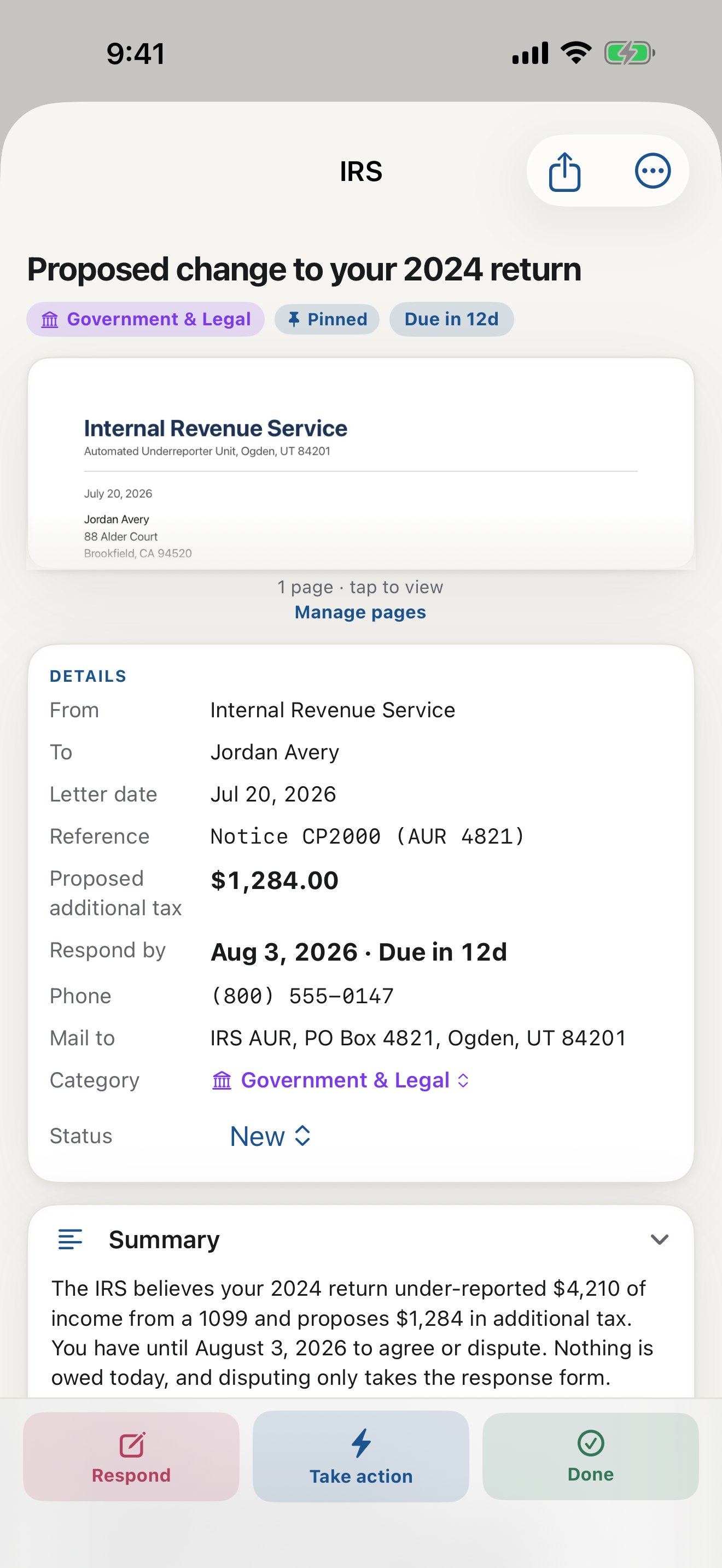
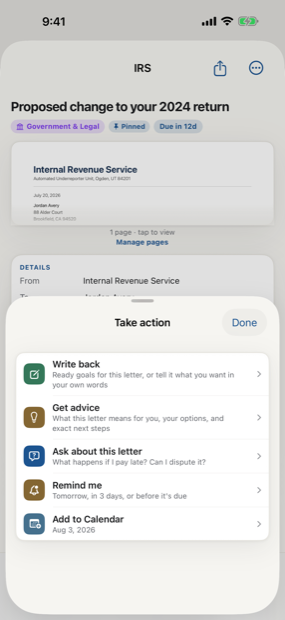
This is exactly what LetterDesk is built for. Scan the notice and it reads the page, pulls out the notice number, the amount, and the deadline into a plain-English summary, files it under Government, and reminds you before the response is due. If you need to write back, it can draft a clear, factual reply from the letter itself. The dread comes from the unknown, and reading the letter properly is what removes it.
A note on scams
The real IRS begins most contact by mail, not by a threatening phone call or a text demanding gift cards. If a message pressures you to pay immediately in an unusual way, treat it as suspicious and verify through the official channels printed on a real notice.
Let an app that reads your mail carry the load
If government envelopes pile up on you, a document scanner app that actually understands them changes the routine. LetterDesk is an app that reads your mail: scan the notice and its AI document summary tells you in plain words what the IRS is saying, so you can understand any document before deciding anything. You can also ask questions about any document, like whether the amount is proposed or final, and it doubles as an app for storing important documents so the notice, your reply, and the proof of mailing stay together.
This guide is general information to help you understand and organize your mail. It is not legal, tax, or financial advice. For a decision with real consequences, confirm the details on your own letter and consider speaking with a qualified professional.
Common questions
Is an IRS letter always bad news?
No. Most IRS letters are routine notices about a form, a proposed adjustment, or a request for information. Reading the notice code and the three key facts, what it says, the amount, and the deadline, tells you how serious it actually is.
What happens if I miss the deadline on an IRS notice?
Missing the response deadline usually removes your chance to disagree before the change becomes final, and interest can continue to build. Responding on time, even just to say you disagree, keeps your options open.
Can LetterDesk help me with an IRS letter?
LetterDesk scans the letter, reads it into plain English, pulls out the notice number, amount, and deadline, files it, and reminds you before you need to respond. It can also help you draft a factual reply. It is general assistance, not tax advice.
Keep reading
Medical Bill Explanation: How to Read an EOB Without the Panic
Medical bills and EOBs are confusing on purpose. Here is how to tell a real bill from a statement, spot errors, and understand what you actually owe.
Debt Collection Letter: What Does This Letter Mean and How to Respond
A collection letter is stressful, but you have rights and options. Here is how to read it, verify the debt, and respond in writing the right way.
How to Organize Paper Mail at Home (A System That Sticks)
Tired of the pile on the counter? Here is a simple, realistic system for organizing paper mail so nothing important gets lost or forgotten again.
How Long Should You Keep Documents? A Paper Clutter Guide
How long to keep bills, tax records, medical statements, and receipts, plus what to shred and what to keep forever, in one clear guide.
The Best App to Keep Track of Bills and Due Dates
Looking for an app to keep track of bills and due dates? Here is what actually works, why most bill trackers fall short, and how to never miss a payment again.
The Best Way to Organize Documents at Home
The best app and system to organize your documents at home: bills, letters, IDs, and records, all searchable in one place, without a filing cabinet.
An App That Reads Your Mail For You: A Smarter Way to Manage Documents
Tired of apps that only scan? Meet the app that actually reads your mail and documents for you, pulls out what matters, and handles the next step.
The AI That Reads Your Mail and Tells You What to Do
Meet the AI that reads your mail and tells you what to do: it explains any confusing letter in plain words, finds the deadline, and gives you the next step.
Understand Any Document in Any Language, Fast
How to understand any document in any language, fast: LetterDesk explains official letters and mail in plain words for parents, seniors, and immigrants.
Ask Questions About Any Document With AI
Snap a letter and ask questions about any document with AI. LetterDesk reads your mail, finds the deadline, and answers what to do in plain words.
Paper Clutter: What to Keep, What to Toss, and How to Go Digital
A calm method for the paper pile: what to keep, what to shred, and how a document scanner app turns the survivors into a searchable digital archive.
How to Scan Important Documents on iPhone and Keep Them Safe
A practical guide to scan important documents with your iPhone: flat, sharp, upright pages, plus how to store, find, and back up the digital copies.
Scan a Letter and Translate It: Read Mail in Any Language
How to scan a letter and translate what it really means: not word-for-word text, but the sender, the ask, the amount, and the deadline, in your language.
Scan to calm
The letter does not just get scanned. It gets handled.
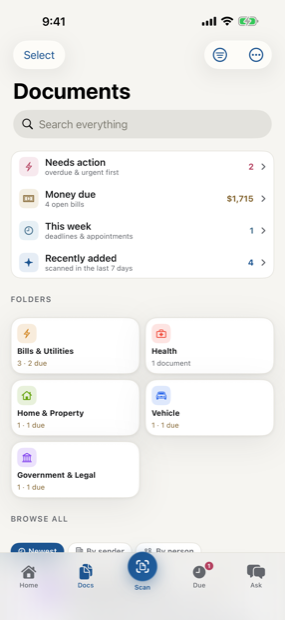
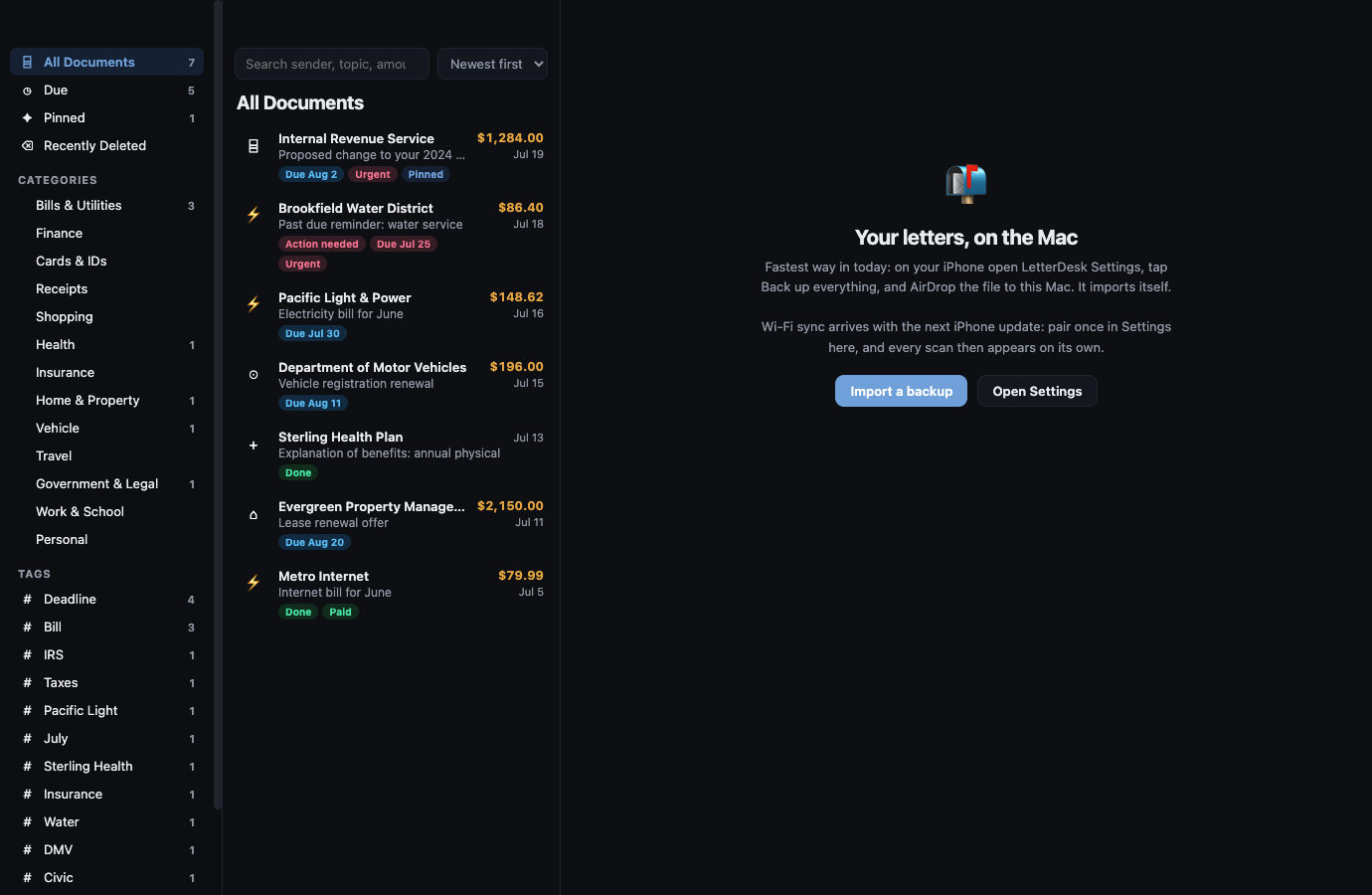
Across every page, LetterDesk shows the full path: read the letter, tell you what to do next, file it automatically, and make it easy to find again.
The next hard letter can be easy.
Scan it, and let LetterDesk read it for you.
In private beta now. Leave your email and we will tell you the day it lands.