USPS Informed Delivery companion
Informed Delivery shows what is coming. LetterDesk handles it when it arrives.
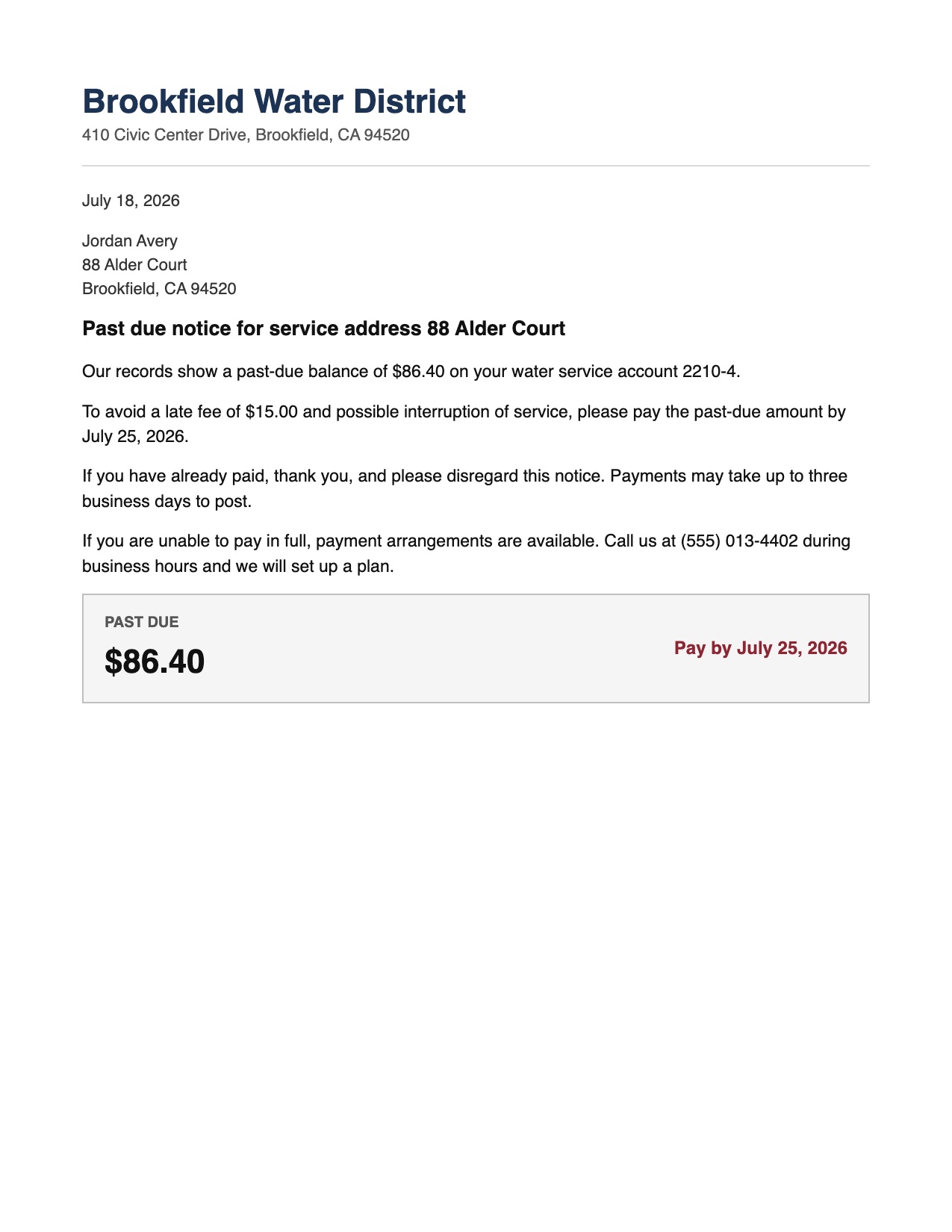
The free USPS preview is a grayscale photo of the envelope. It tells you a letter is on its way and then stops at your mailbox. LetterDesk picks up where it leaves off: scan the letter, and it reads the inside, pulls out the deadline and the amount, files it, and reminds you.
Scan to calm
The envelope preview is not the answer. This is.
When the paper arrives, LetterDesk turns it into the calm next step.
Two halves of the same job
One tells you it is coming. One deals with what it says.
Informed Delivery: the heads up
A daily email with a scan of the envelope fronts. Useful to know something is arriving, but it never opens the letter or tracks what it asks of you.
LetterDesk: the follow through
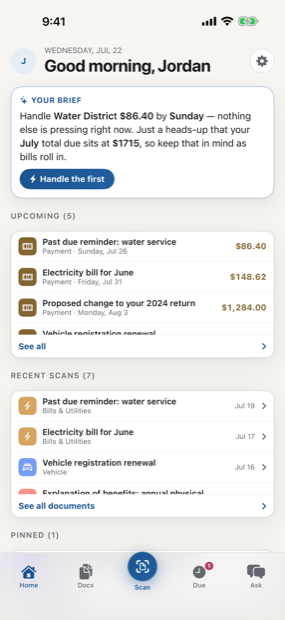
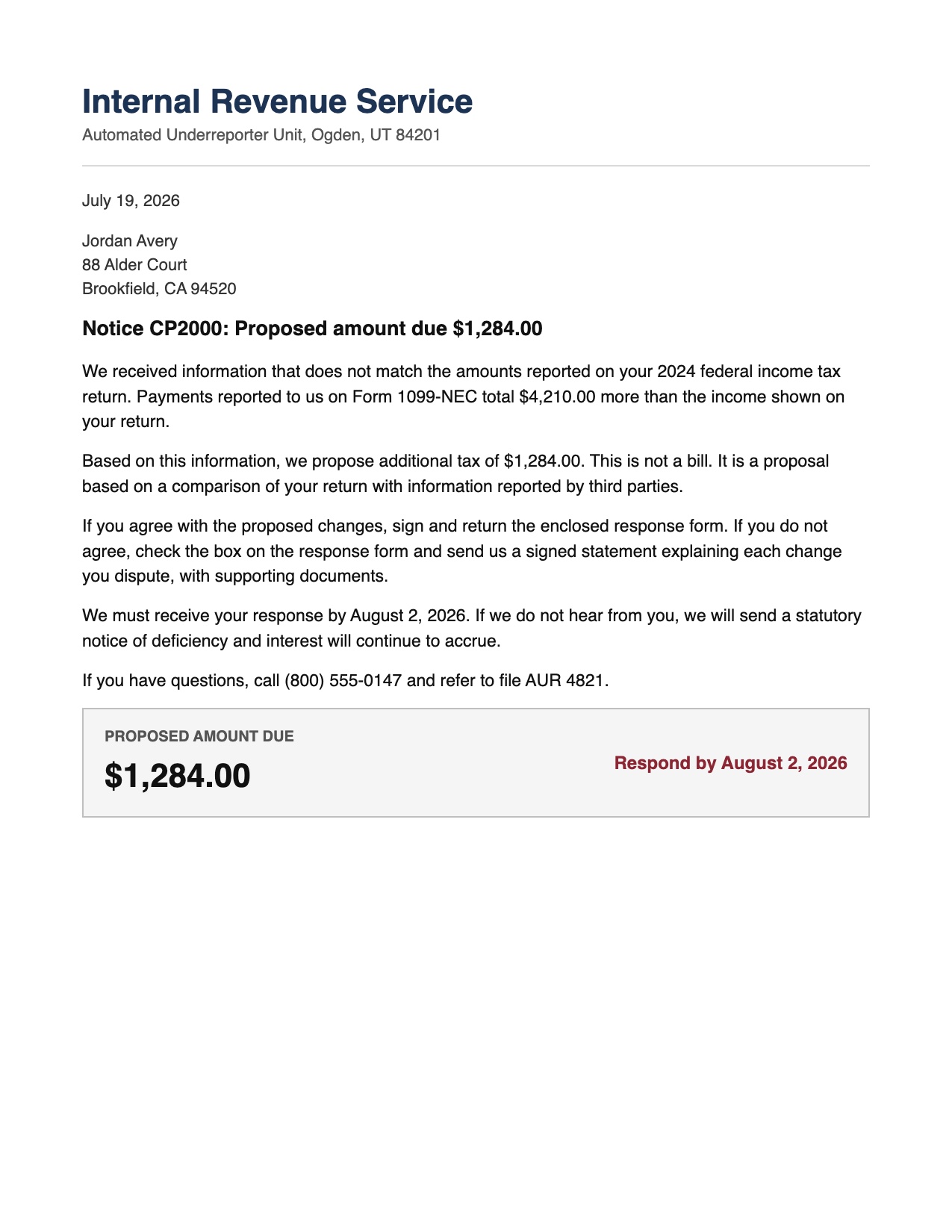
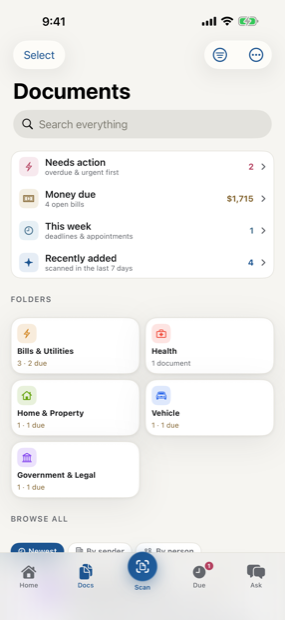
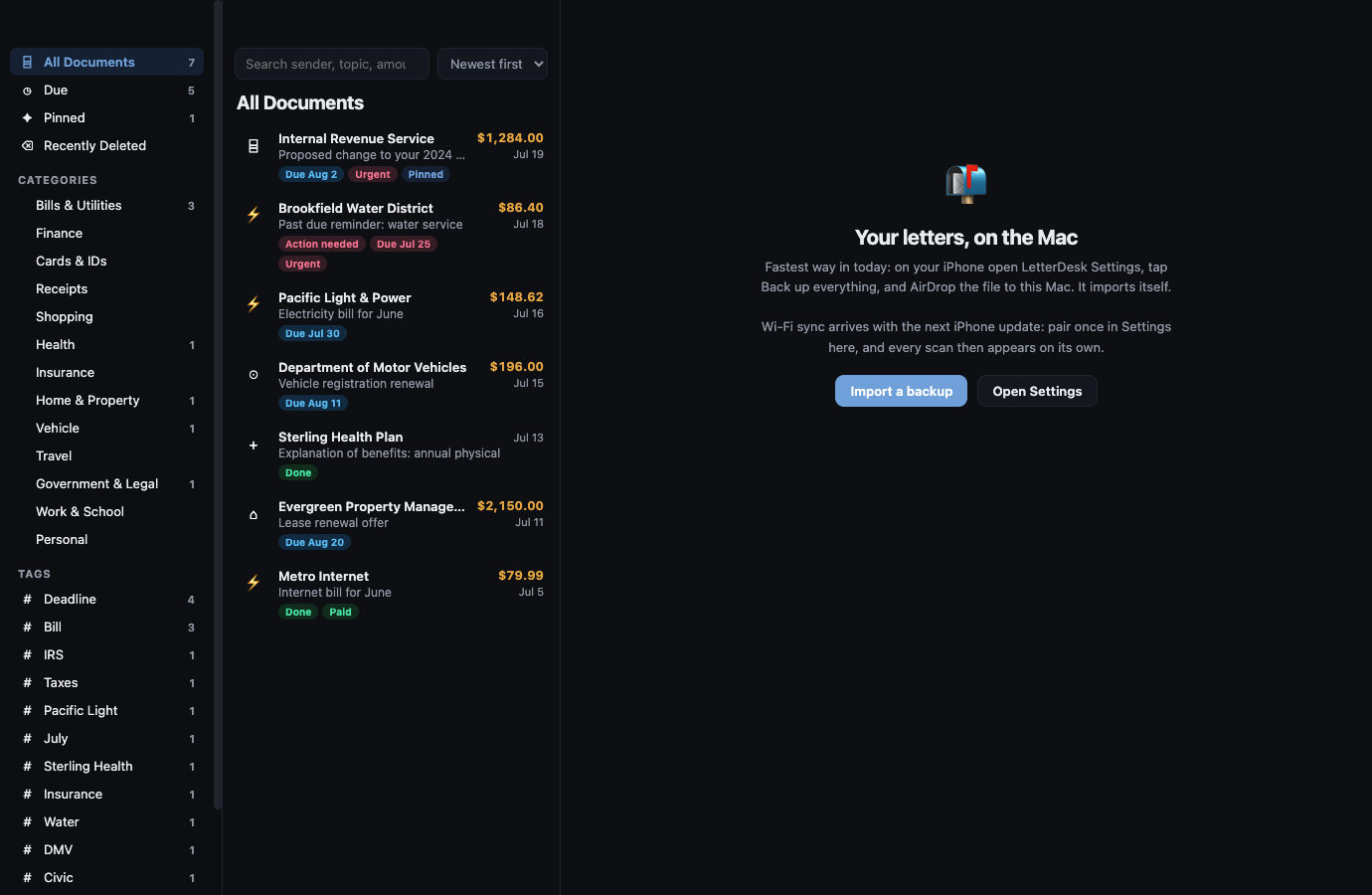
Scan the letter when it lands and LetterDesk reads the contents, finds the due date and the amount, files it into the right category, and reminds you before it is due.
Use them together. Let Informed Delivery tell you what is coming to the mailbox, and let LetterDesk handle every piece once it is in your hands, down to answering whatever the letter makes you wonder. Between the two, nothing arrives unseen, nothing sits unhandled, and nothing is left unexplained.
Common questions
How the two fit together.
Does LetterDesk work with USPS Informed Delivery?
They complement each other. Informed Delivery previews the outside of mail before it arrives; LetterDesk reads the inside once it does, then files it and tracks the deadline. LetterDesk does not require an Informed Delivery account.
Can LetterDesk read the letters Informed Delivery shows me?
Yes. When the physical letter arrives, scan it with LetterDesk and it reads the full contents, pulls out the amount and the due date, and files it for you.
Scan to calm
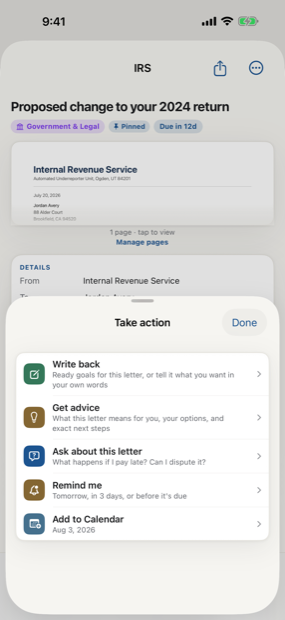
The letter does not just get scanned. It gets handled.
Across every page, LetterDesk shows the full path: read the letter, tell you what to do next, file it automatically, and make it easy to find again.
Your mail, finally handled.
Scan the first scary letter in your pile and watch it turn calm.
In private beta now. Leave your email and we will tell you the day it lands.