How it works
The AI That Reads Your Mail and Tells You Exactly What to Do
Confusing letters are only confusing until something reads them with you. Here is how an app that understands your mail, not just scans it, hands you the next step in about ten seconds.
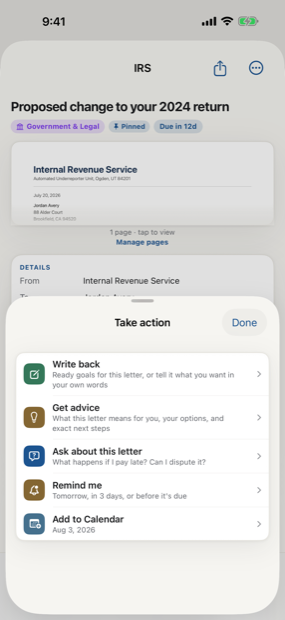
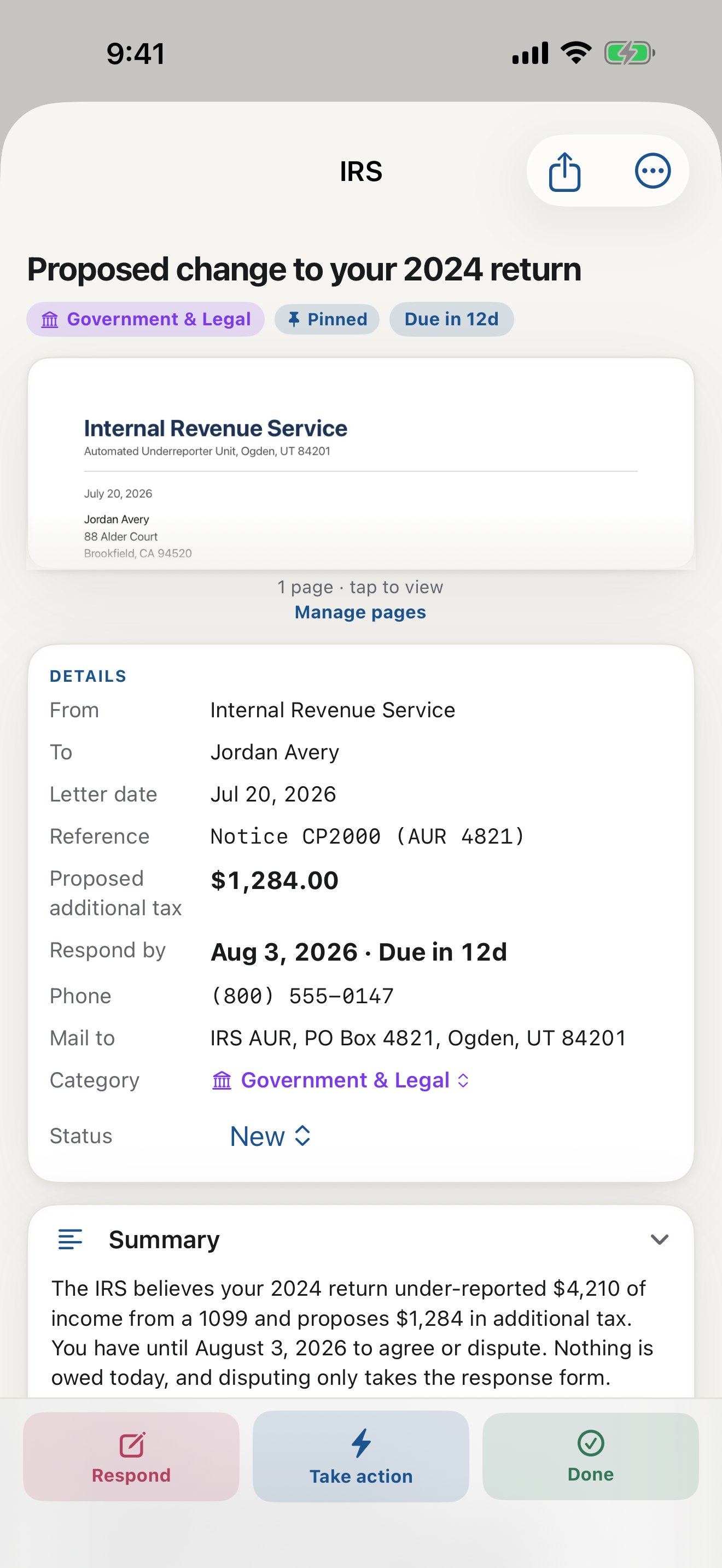
Almost everyone has a small pile somewhere: the envelope with the government seal, the bill with a number that does not match what you expected, the notice that uses the phrase "action required" and then explains nothing in words a normal person would use. You know the feeling. You read it twice, you still are not sure what it wants, and you set it down to deal with later. Later becomes a quiet, low hum of worry that follows you around the house.
The thing that changes all of this is smaller than you would think. It is not a filing cabinet, a new habit, or a resolution to finally get organized. It is simply an AI that reads your mail and tells you what to do, in plain language, the moment you point your phone at the page.
What "an AI that reads your letter" actually means
There is a real difference between an app that scans a page and an app that understands it. A scanner turns a letter into a picture. What you actually need is something that reads the letter the way a calm, patient friend would, and then says the one useful thing: here is what this is, here is what they want, here is when.
LetterDesk is built around a trained, highly optimized AI engine that does exactly that. You scan the letter. In a few seconds it tells you, in ordinary words, what the document is, who it is from, the amount that matters, and the date you cannot miss. No jargon. No "see reverse for details." Just the meaning, pulled up to the surface where you can finally see it.
A real walk-through: a letter that looks scary
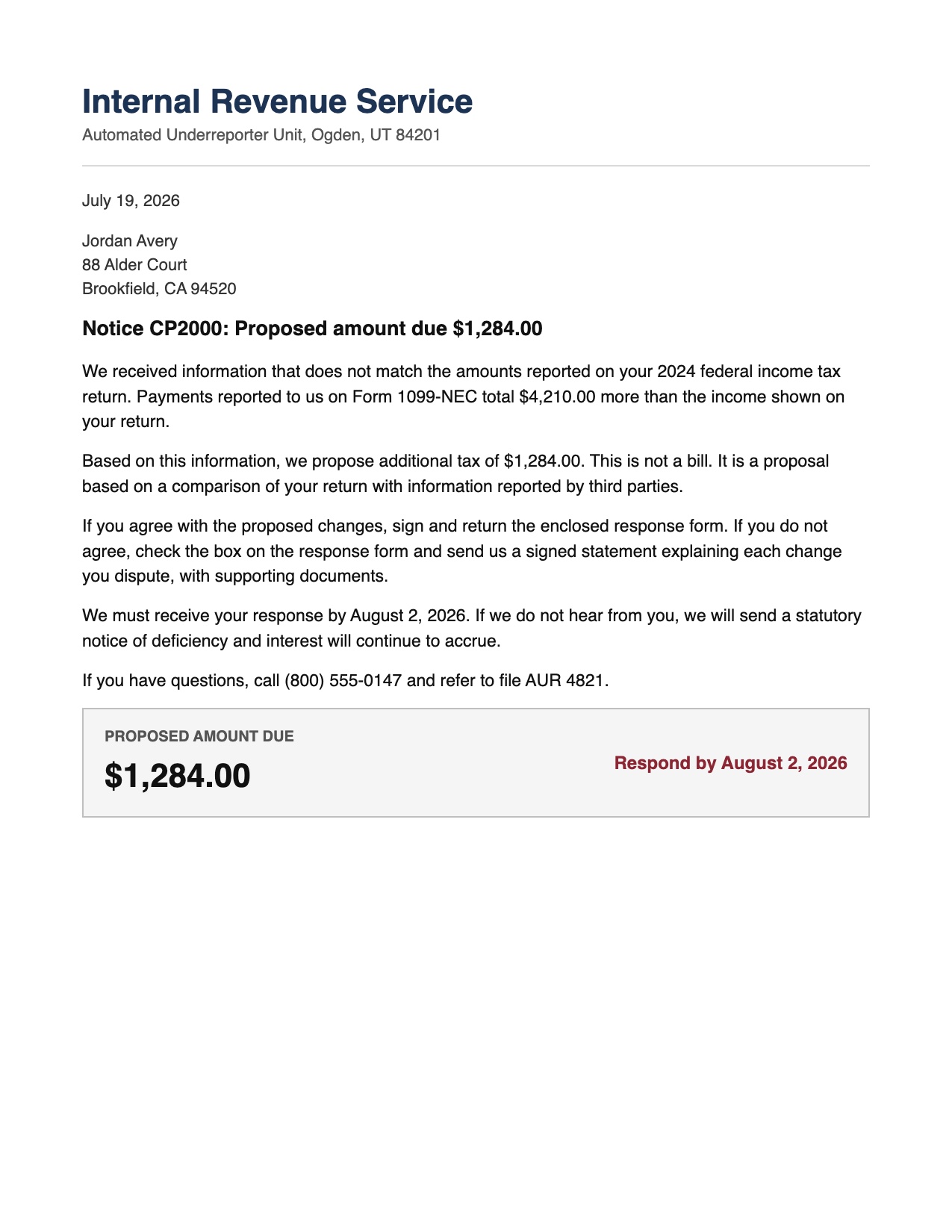
Picture the kind of envelope that makes your stomach drop. A tax notice, dense with numbers, printed in a tone that feels like a warning. On paper it reads as a threat. You are not sure whether you owe money, whether you did something wrong, or what happens if you simply do nothing.
Now picture scanning it instead. Within seconds you see a short, human summary: this is a notice about a mismatch on last year's return, it is asking you to confirm one figure, and it wants a response by a specific date. The frightening number printed near the top turns out to be a reference code, not a bill. The real request is small. The panic had nothing left to hold onto once the letter was explained.
That is the whole thing, and it is not a trick at all. Most scary letters are only scary because they are unclear. Clarity removes almost all of the fear, and it takes about ten seconds.
The part that quietly changes everything: ask it anything
Reading the letter is where most tools stop. It is where LetterDesk gets interesting. Under any document you can simply ask, in your own words, whatever you actually want to know:
- What is this, really?
- What do they want from me?
- What happens if I ignore it?
- What should I say back?
You get a clear, calm answer, grounded in the letter in your hand rather than a generic web search. Ask what a term means and it tells you. Ask whether a deadline is urgent and it tells you. Ask it to write your reply and it drafts something you can actually send. This is the part people describe first: not "the app scanned my mail," but "I stopped being confused by my own documents."
It files itself, and it remembers
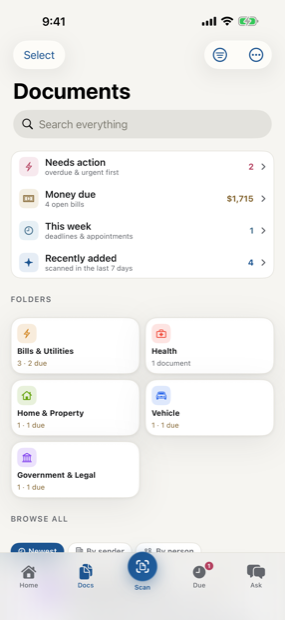
Once a letter is understood, it does not disappear back into the pile. It is sorted by category on its own, the deadline is already waiting for you, and months later, when you half-remember "that letter about the car," you can find it and ask about it again. Nothing to tag. Nothing to name. The organizing happens as a side effect of understanding, which is the only kind of organizing most people will ever keep up with.
It is a slightly strange thing to notice that other households have quietly solved this. They are not more disciplined than you are. They just stopped doing the hard part by hand.
Simple enough for anyone, in the language they think in
The best test of a tool like this is whether you could hand it to a parent or a grandparent with no lesson attached. LetterDesk is designed to pass that test on purpose. You point the camera at a letter, and the answer comes back in plain words. There is no account to create, nothing runs on some distant server you have to trust, and it works offline: the reading happens on your device, so your mail stays yours.
And it meets people where they are. It works in English and Persian today, with more languages coming, so a letter written in one language can be understood by someone who thinks in another. For a lot of families, that alone is the difference between a document that sits unopened for weeks and one that gets handled the same afternoon.
Why the mailbox stops being a source of dread
Here is the honest version of what happens. You do not become a more organized person. You do not build a system. You simply stop opening mail with your shoulders up around your ears, because you know that anything confusing is now about ten seconds away from being clear. The letters that used to sit for a week get handled the day they arrive.
The people already living this way rarely go back, and they rarely mention it, which is exactly why it is easy to miss that the option even exists. The difference between dread and a calm minute is not effort or discipline. It is only whether something reads the letter with you, and tells you the one thing to do next.
From what does this letter mean to what do I do
The AI that reads your mail exists to answer two questions: what does this letter mean, and what should you do about it. LetterDesk pairs a document scanner app with an AI document summary, so you understand any document the moment it is scanned, and you can ask questions about any document when the details matter. It is an app that reads your mail so you do not have to read the fine print alone.
This guide is general information to help you understand and organize your mail. It is not legal, tax, or financial advice. For a decision with real consequences, confirm the details on your own letter and consider speaking with a qualified professional.
Common questions
What does it mean when an app reads my mail and tells me what to do?
It means the app does more than photograph the page. It reads the letter, explains in plain words what it is and what is being asked, and points you to the deadline and the next step so a confusing document becomes a clear action.
Can AI really explain a confusing letter?
Yes. A trained document engine can identify the sender, the purpose, the amount that matters, and the date, then answer your follow-up questions about that specific letter in ordinary language. This is general information to help you understand a document, not legal or financial advice.
How does LetterDesk keep my documents private?
LetterDesk reads your mail on your device, with no account required, and it works offline. Your letters and the questions you ask about them stay on your phone instead of being sent away to be stored somewhere else.
Keep reading
IRS Letter: What Does This Letter Mean and What to Do Next
Got an IRS letter and felt your stomach drop? Here is a calm, step-by-step way to read it, understand what it wants, and respond without panic.
Medical Bill Explanation: How to Read an EOB Without the Panic
Medical bills and EOBs are confusing on purpose. Here is how to tell a real bill from a statement, spot errors, and understand what you actually owe.
Debt Collection Letter: What Does This Letter Mean and How to Respond
A collection letter is stressful, but you have rights and options. Here is how to read it, verify the debt, and respond in writing the right way.
How to Organize Paper Mail at Home (A System That Sticks)
Tired of the pile on the counter? Here is a simple, realistic system for organizing paper mail so nothing important gets lost or forgotten again.
How Long Should You Keep Documents? A Paper Clutter Guide
How long to keep bills, tax records, medical statements, and receipts, plus what to shred and what to keep forever, in one clear guide.
The Best App to Keep Track of Bills and Due Dates
Looking for an app to keep track of bills and due dates? Here is what actually works, why most bill trackers fall short, and how to never miss a payment again.
The Best Way to Organize Documents at Home
The best app and system to organize your documents at home: bills, letters, IDs, and records, all searchable in one place, without a filing cabinet.
An App That Reads Your Mail For You: A Smarter Way to Manage Documents
Tired of apps that only scan? Meet the app that actually reads your mail and documents for you, pulls out what matters, and handles the next step.
Understand Any Document in Any Language, Fast
How to understand any document in any language, fast: LetterDesk explains official letters and mail in plain words for parents, seniors, and immigrants.
Ask Questions About Any Document With AI
Snap a letter and ask questions about any document with AI. LetterDesk reads your mail, finds the deadline, and answers what to do in plain words.
Paper Clutter: What to Keep, What to Toss, and How to Go Digital
A calm method for the paper pile: what to keep, what to shred, and how a document scanner app turns the survivors into a searchable digital archive.
How to Scan Important Documents on iPhone and Keep Them Safe
A practical guide to scan important documents with your iPhone: flat, sharp, upright pages, plus how to store, find, and back up the digital copies.
Scan a Letter and Translate It: Read Mail in Any Language
How to scan a letter and translate what it really means: not word-for-word text, but the sender, the ask, the amount, and the deadline, in your language.
Scan to calm
The letter does not just get scanned. It gets handled.
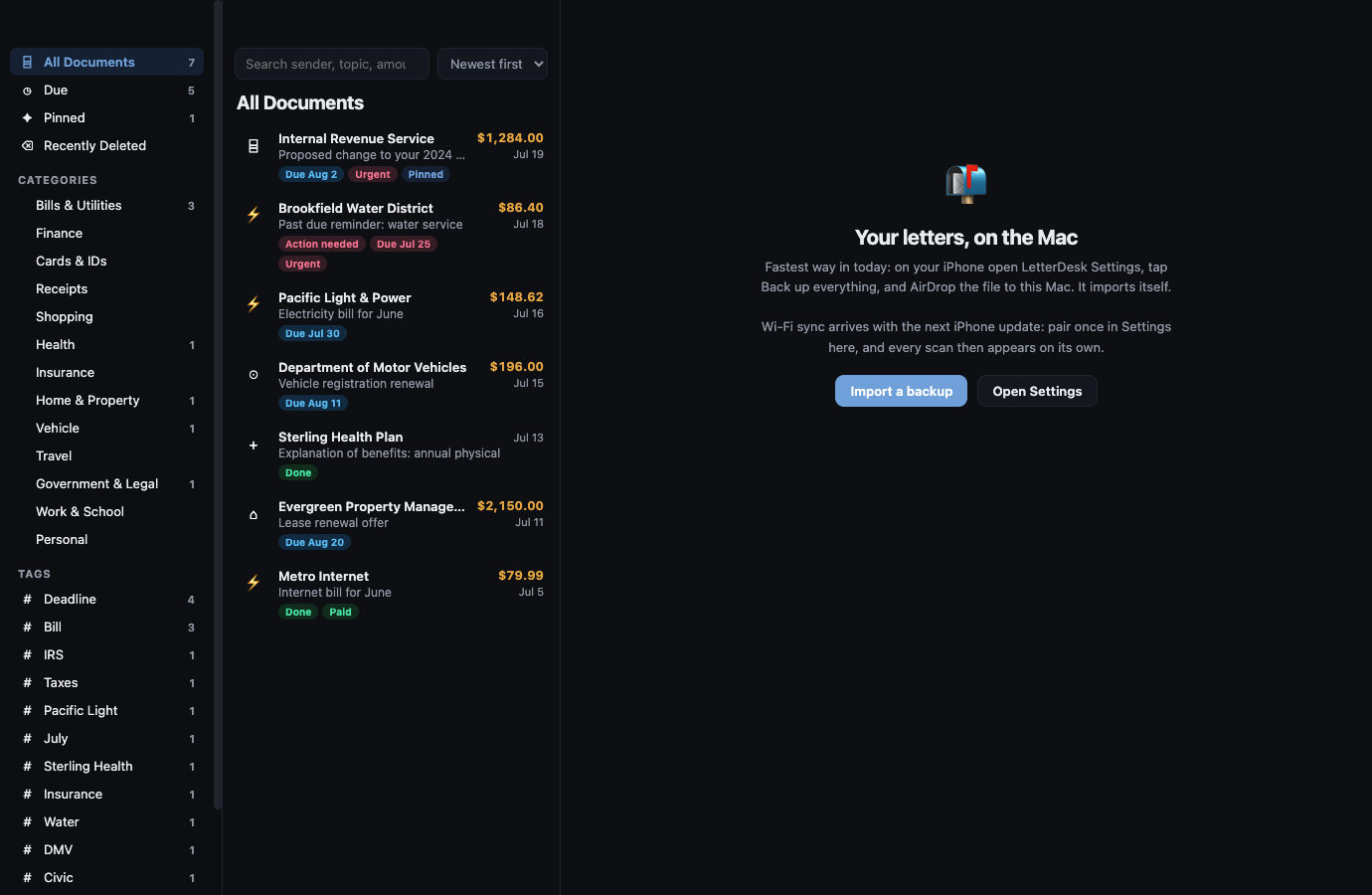
Across every page, LetterDesk shows the full path: read the letter, tell you what to do next, file it automatically, and make it easy to find again.
The next hard letter can be easy.
Scan it, and let LetterDesk read it for you.
In private beta now. Leave your email and we will tell you the day it lands.