How it works
An app that reads your mail for you
Scanning a letter and understanding a letter are very different things. The next generation of document apps does the reading, not just the photographing.
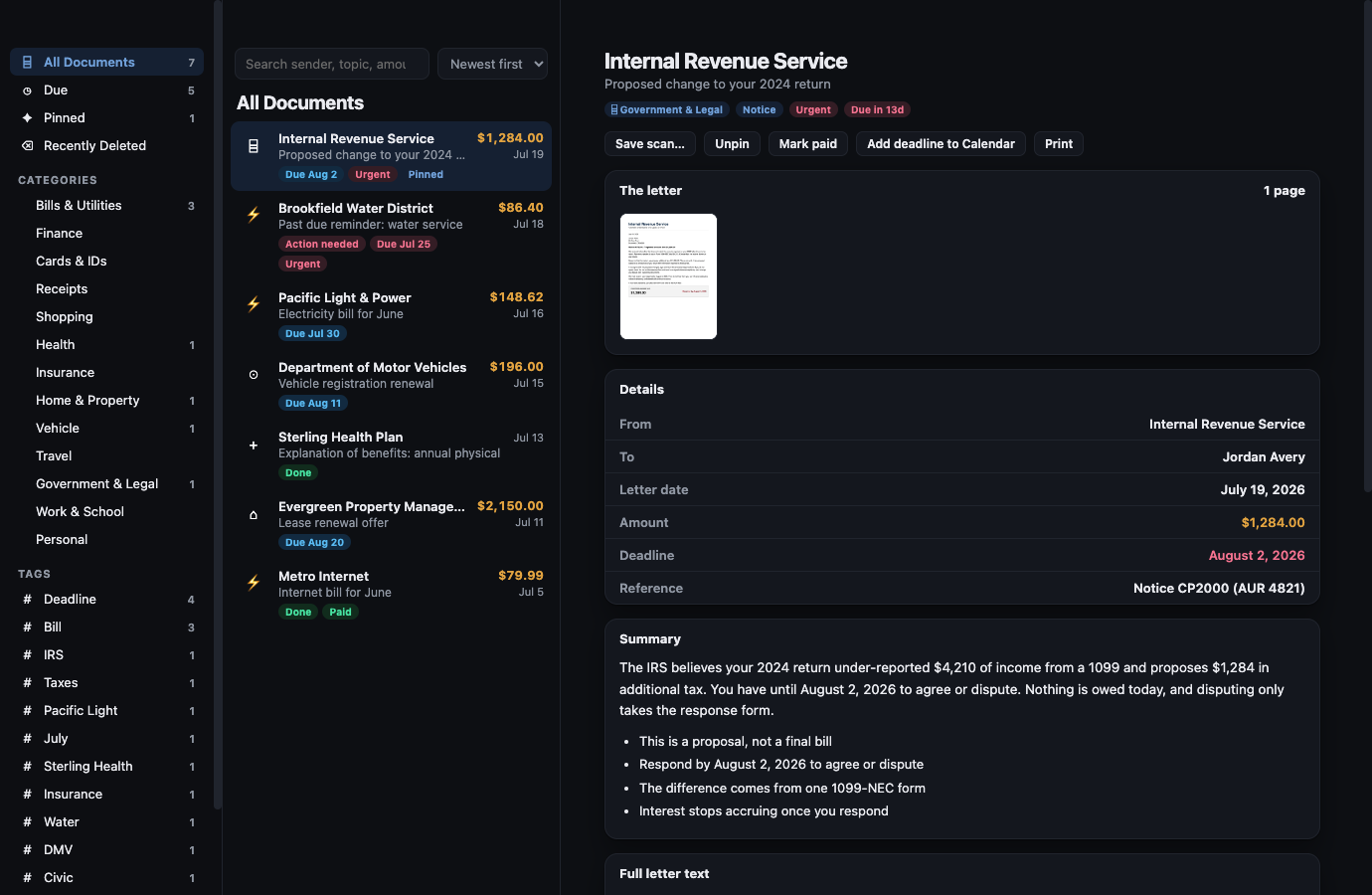
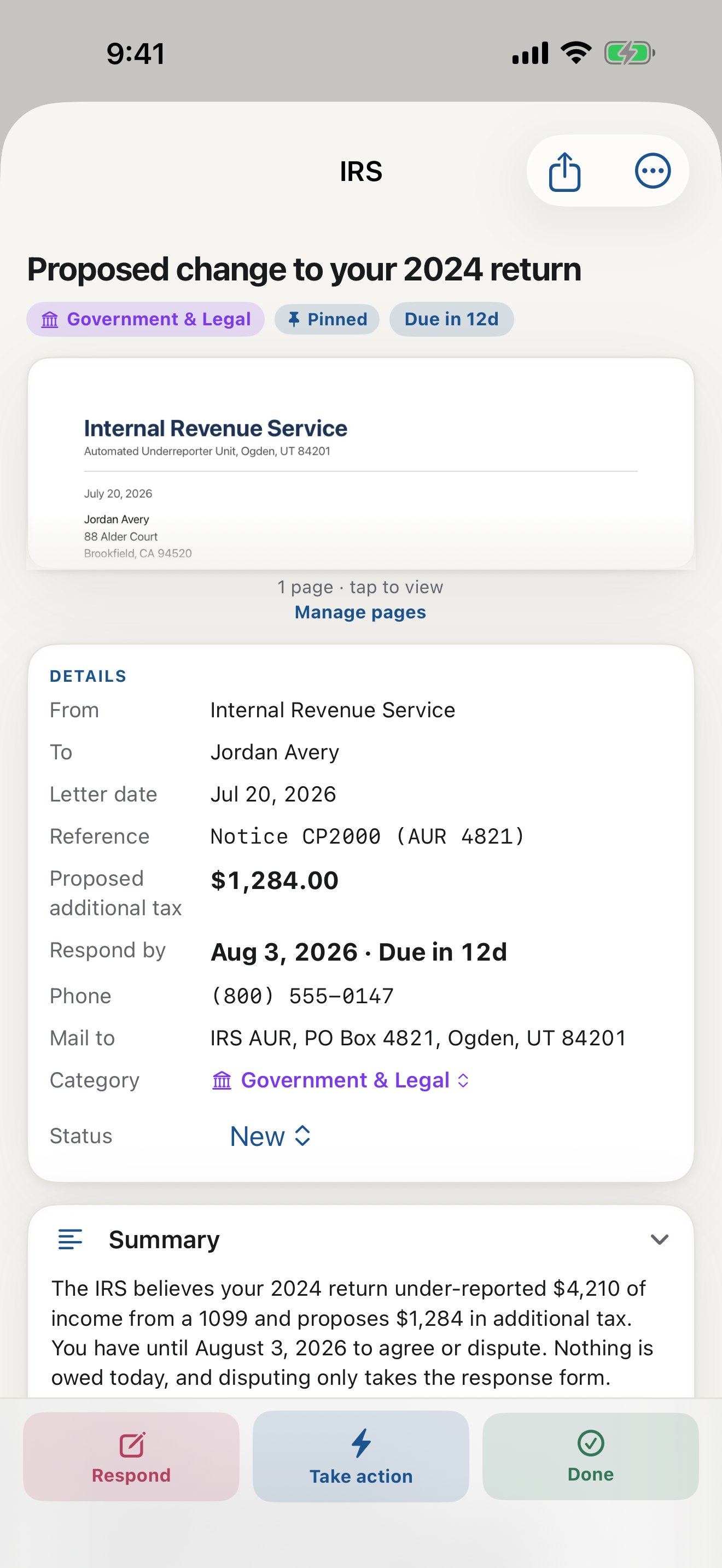
For twenty years, a document app meant a scanner: point the camera, get a PDF, file it yourself. That was a real step forward for storing paper. It did nothing for the harder problem, which was never storage. It was understanding. Reading a dense letter, finding the deadline buried in the fourth paragraph, knowing what it wants and what to do next: that work still landed on you.
The shift: from scanning to reading
An app that reads your mail changes the job entirely. Instead of handing you a picture of a problem, it reads the page and hands you the answer. Who sent it, what it says, what it wants, by when, and how much. A three-page notice becomes a few plain sentences and a clear next step.
This is the difference between a document camera and a document assistant. One captures paper. The other handles it.
What reading unlocks
Once an app actually reads your mail, several things that used to be manual become automatic:
- Filing. Because it understands the document, it files it under the right category on its own, no folders to build.
- Deadlines. It finds the real due date and reminds you, so nothing lapses.
- Amounts. It pulls out what you actually owe and labels it correctly, so a credit limit is never mistaken for a bill.
- Replies. It can draft a clear, factual response built from the letter itself, so answering a notice takes minutes, not an afternoon.
- Search. It makes every letter findable by meaning, not just by filename.
None of that is possible for an app that only takes a photo. Reading is the capability everything else depends on.
How LetterDesk does it
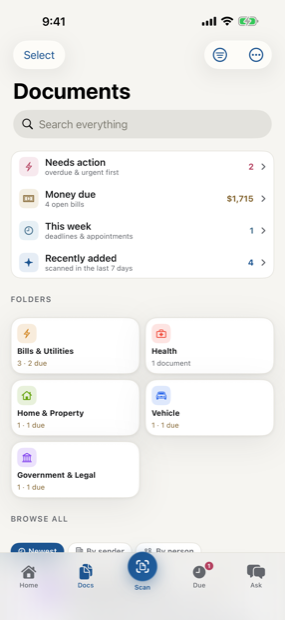
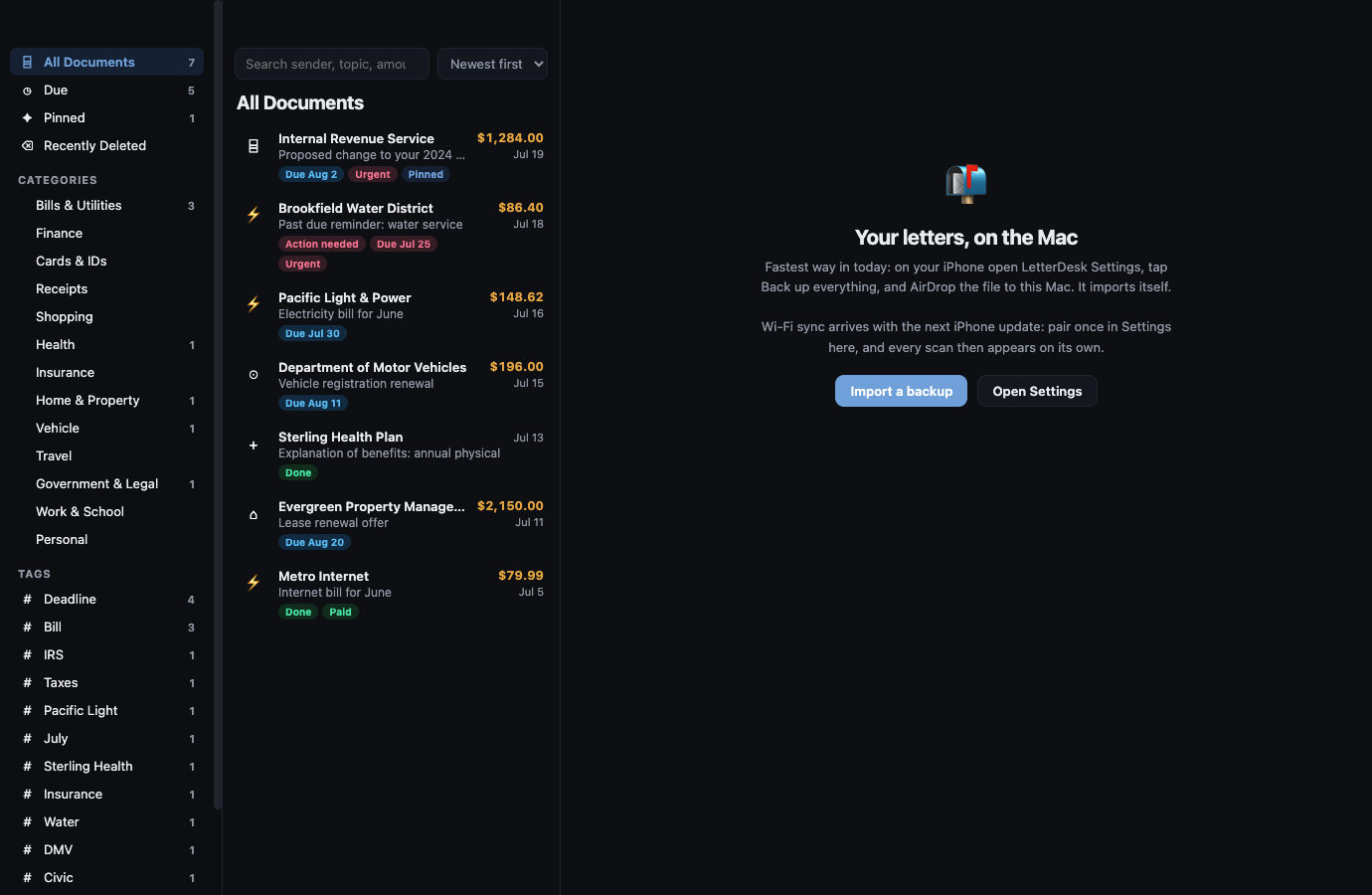
LetterDesk is built around reading. Scan any letter, bill, or notice and it reads the whole page, gives you an info box of the facts, writes a short plain-English summary, files it, tracks the deadline, and offers to write back. It works on iPhone and mirrors to your Mac, and your photos never leave your phone. It is the one place your mail is read, acted on, and kept, rather than just scanned and forgotten in a folder.
If you have ever wished for an app that reads your mail for you instead of adding another PDF to a pile, that is the whole idea. The scanner era was about storing paper. This one is about finally understanding it.
More than a mail scanner app
Plenty of tools capture paper. An app that reads your mail goes further: the AI document summary tells you what each letter wants, helps you understand any document at a glance, and lets you ask questions about any document when something is unclear. That is the difference between a scanner and the best mail management app: one stores pages, the other helps you keep track of bills and due dates without reading a single form twice.
This guide is general information to help you understand and organize your mail. It is not legal, tax, or financial advice. For a decision with real consequences, confirm the details on your own letter and consider speaking with a qualified professional.
Common questions
Is there an app that reads your mail and documents for you?
Yes. LetterDesk reads any letter, bill, or notice you scan: it pulls out the sender, the deadline, and the amount, writes a plain-English summary, files it automatically, and can draft a reply. It reads the document rather than only photographing it.
How is an app that reads mail different from a scanner app?
A scanner app makes a photo or PDF and leaves the understanding, filing, and follow-up to you. An app that reads your mail understands the page, so it can file it, track the deadline, pull out the amount, and even write a reply automatically.
Does the reading happen privately?
With LetterDesk, your photos stay on your phone and there is no account. To read a letter, its text is sent to the reading service to return the summary and facts, and it is not used for anything else.
Keep reading
IRS Letter: What Does This Letter Mean and What to Do Next
Got an IRS letter and felt your stomach drop? Here is a calm, step-by-step way to read it, understand what it wants, and respond without panic.
Medical Bill Explanation: How to Read an EOB Without the Panic
Medical bills and EOBs are confusing on purpose. Here is how to tell a real bill from a statement, spot errors, and understand what you actually owe.
Debt Collection Letter: What Does This Letter Mean and How to Respond
A collection letter is stressful, but you have rights and options. Here is how to read it, verify the debt, and respond in writing the right way.
How to Organize Paper Mail at Home (A System That Sticks)
Tired of the pile on the counter? Here is a simple, realistic system for organizing paper mail so nothing important gets lost or forgotten again.
How Long Should You Keep Documents? A Paper Clutter Guide
How long to keep bills, tax records, medical statements, and receipts, plus what to shred and what to keep forever, in one clear guide.
The Best App to Keep Track of Bills and Due Dates
Looking for an app to keep track of bills and due dates? Here is what actually works, why most bill trackers fall short, and how to never miss a payment again.
The Best Way to Organize Documents at Home
The best app and system to organize your documents at home: bills, letters, IDs, and records, all searchable in one place, without a filing cabinet.
The AI That Reads Your Mail and Tells You What to Do
Meet the AI that reads your mail and tells you what to do: it explains any confusing letter in plain words, finds the deadline, and gives you the next step.
Understand Any Document in Any Language, Fast
How to understand any document in any language, fast: LetterDesk explains official letters and mail in plain words for parents, seniors, and immigrants.
Ask Questions About Any Document With AI
Snap a letter and ask questions about any document with AI. LetterDesk reads your mail, finds the deadline, and answers what to do in plain words.
Paper Clutter: What to Keep, What to Toss, and How to Go Digital
A calm method for the paper pile: what to keep, what to shred, and how a document scanner app turns the survivors into a searchable digital archive.
How to Scan Important Documents on iPhone and Keep Them Safe
A practical guide to scan important documents with your iPhone: flat, sharp, upright pages, plus how to store, find, and back up the digital copies.
Scan a Letter and Translate It: Read Mail in Any Language
How to scan a letter and translate what it really means: not word-for-word text, but the sender, the ask, the amount, and the deadline, in your language.
Scan to calm
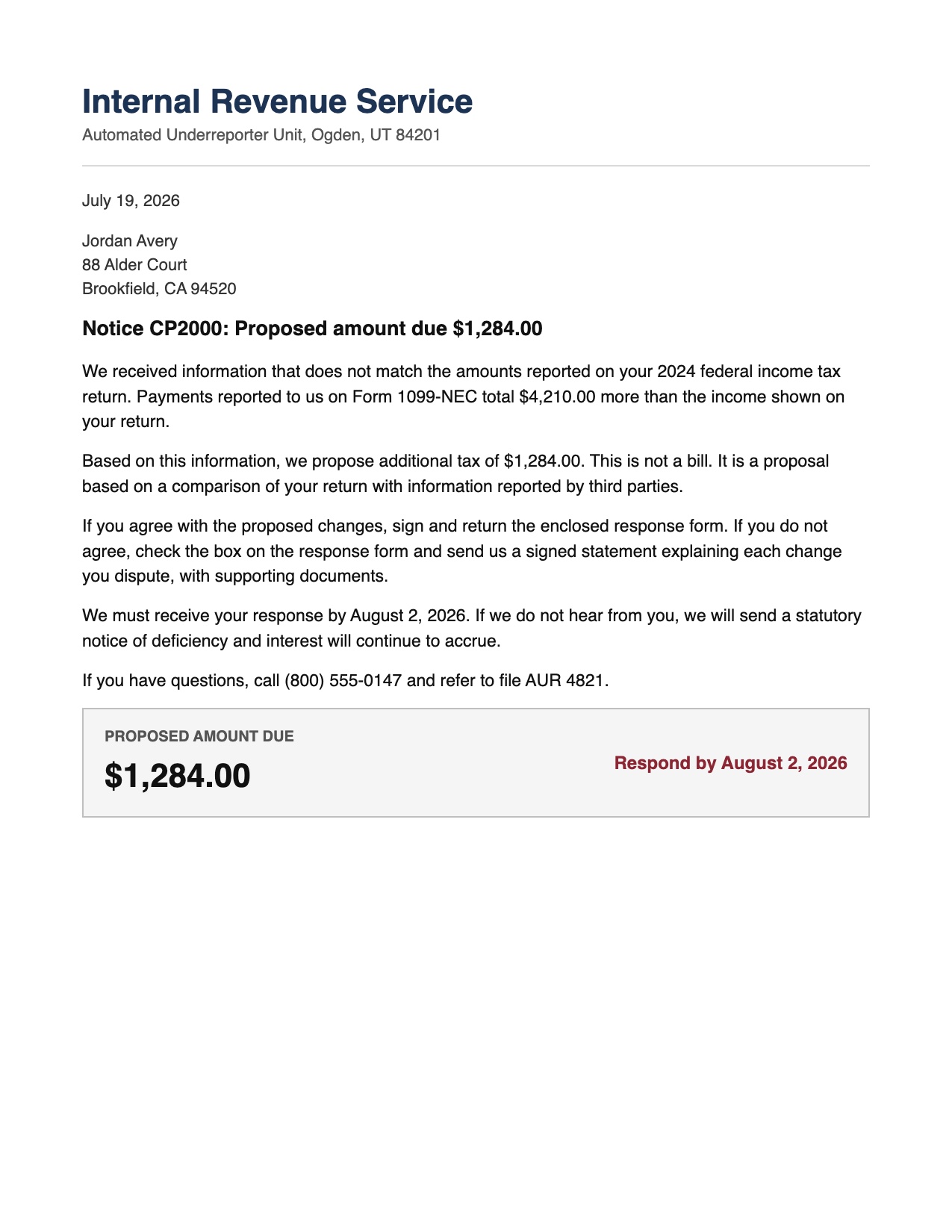
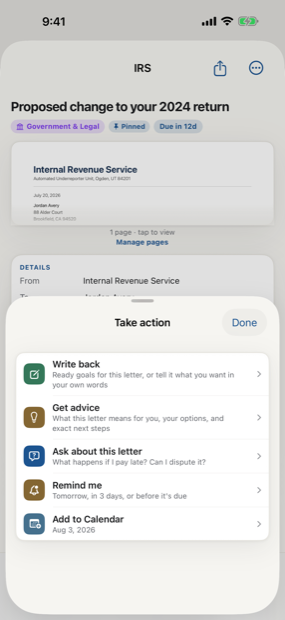
The letter does not just get scanned. It gets handled.
Across every page, LetterDesk shows the full path: read the letter, tell you what to do next, file it automatically, and make it easy to find again.
The next hard letter can be easy.
Scan it, and let LetterDesk read it for you.
In private beta now. Leave your email and we will tell you the day it lands.